
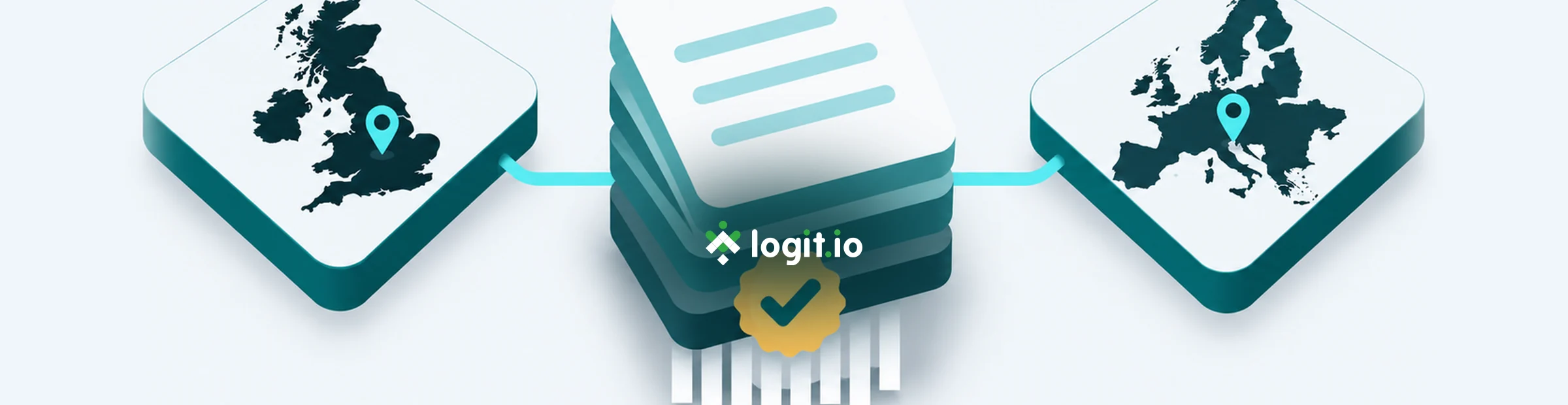

Security and procurement teams rarely ask only whether logs are searchable. They ask where those logs live, whether UK and EU estates stay apart, what happens when retention ends, and how you can show that data was deleted. This guide walks through the published region model, custom residency, and verified deletion for Logs stacks on Logit.io.
Contents
- The short answer
- UK, Europe and US: what the published regions cover for logs
- Choose the region on the first Logs stack
- Confirm region on Account Settings and Stack Settings
- Separate UK and EU log estates with one account per region
- Custom data residency when standard regions are not enough
- When log data is permanently deleted
- Ask for verified deletion when auditors need proof
- Worked checks: region, retention and search after removal
- Failure modes and honest trade-offs
- Frequently asked questions
- Keep UK and EU logs where contracts require
Unlock complete visibility with hosted ELK, Grafana, and Prometheus-backed Observability
The short answer
On Logit.io, the first stack you create locks the account to a dedicated data centre in the UK, Europe or the US. Every later stack on that account inherits the same region. Keep UK and EU log estates on separate accounts, contact Logit.io if you need a storage location outside those published regions, and ask support about the secure deletion verification process when auditors need proof that data was removed after retention expiry or stack deletion.

UK, Europe and US: what the published regions cover for logs
Logit.io hosts stacks in dedicated data centres across the UK, Europe and the US. The data storage regions docs make two points that matter for log buyers. First, you choose a region so processing lines up with the geography named in your contracts and DPAs. Second, your own office or cloud account location does not force that choice: you can place an account in any published region regardless of where your team or systems sit.
For day-to-day log management that means indexes, OpenSearch nodes and the searchable history for a Logs stack live in the account region. Hosted OpenSearch and Hosted ELK stacks on the same account follow the same rule. There is no separate “logs-only region” toggle, and Logit.io does not claim cross-region search across accounts. If a questionnaire asks where personal data in access logs or security analytics sits, the honest answer is the storage region locked on that account.
Platform attestations sit beside residency, not instead of it. The security page documents UKAS-accredited ISO/IEC 27001:2022 certification, PCI DSS Service Provider Level 1, and operation in compliance with GDPR, HIPAA and SOC 2, plus Cyber Essentials. Certifications do not relocate an account that was created in the wrong region. Pick the region before production traffic arrives.
Choose the region on the first Logs stack
Region is an account-level setting. When you create the first stack on a trial or paying account, the create flow offers the storage region picker. The value you confirm becomes the default for that account. Additional stacks added later deploy to the same default and do not show another region selector.
For a new UK or EU log estate, treat the first create as the compliance step, not a disposable click. A practical order looks like this:
- Decide whether this account must keep logs in the UK or in Europe. If both geographies are required under separate contracts, plan two accounts from the start.
- Start a free trial or open New Account from the dashboard menu when you need a second region.
- Create the first Logs stack and select the matching region before you paste shipper config or open ports.
- Confirm stack creation only after the region label matches the geography named in the DPA or customer schedule.
During a 14-day trial you can still change course: delete the current stack and create a new first stack to choose a different default region. After the account is established with production history, “move the region” is not a self-service toggle. Design the account layout before high-volume ingestion begins.
Shippers always target a specific stack endpoint and credentials. Pointing Filebeat or an HTTP API client at a stack on a UK account keeps those events in that UK estate. The same config aimed at an EU account’s endpoint lands in Europe. Region discipline is therefore both an account setting and an operations habit: do not reuse yesterday’s hostnames across estates.
Confirm region on Account Settings and Stack Settings
Do not rely on memory of the create wizard. Verify the locked region in the product UI before you tell security “we are in-region.”
- From the left-hand dashboard menu open Account Settings.
- In the account profile overview, read the region shown for the account.
- Open the Logs stack you care about, then choose Stack Settings → Overview.
- Confirm the Region field matches the account default and the geography you promised.
Those two screens should agree. If you manage more than one Logit.io account in the browser, check the account switcher before reading Overview. It is common to open Stack Settings on the wrong estate while copying endpoints for a shipper change.
For a teammate handover, capture a short note with the account name, the region string from Account Settings, the stack name and the Stack Settings Overview region. That note is enough for someone else to repeat the check without recreating stacks.
Separate UK and EU log estates with one account per region
Because every stack on an account shares one storage region, mixed UK and EU residency on a single account is not available. When contracts require UK log data and EU log data to stay apart, create one account per region. The Hosted ELK and Hosted OpenSearch feature pages summarise the same model: pick the region on first stack create, then use separate accounts when UK and EU must remain isolated. The earlier UK and EU residency guides walk through that account layout for OpenSearch buyers; the operational rule is identical for Logs stacks.
A workable pattern for many teams:
- Account A - UK: production Logs stack for UK customer or regulated workloads, plus any UK Hosted OpenSearch stack that must share that geography.
- Account B - Europe: the matching EU estate with its own endpoints, API keys and OpenSearch Dashboards access.
- Operational firewall: separate shipper configs, secret stores and runbooks so a hostname from Account A never appears in Account B’s collectors.
Billing, users and audit history are also per account. That separation is usually what compliance reviewers want: two clear estates rather than a shared tenancy with a soft convention. It does mean two places to manage users and two sets of endpoints. Budget for that overhead when you promise dual-region residency.
Custom data residency when standard regions are not enough
Some questionnaires name a geography that is not covered by the standard UK, Europe or US regions, or they require a location discussion beyond the published list. The data storage regions docs now state that Logit.io offers customisable data residency options for those cases. You contact Logit.io with the requirements, and the team discusses which storage location can meet them.
Treat custom residency as a sales and solutions conversation, not a dashboard toggle. Before you raise the request, gather:
- The exact geography or sovereignty constraint from the DPA, customer schedule or internal policy.
- Whether the requirement applies to all log types or only to named workloads (for example authentication logs containing personal data).
- Whether a published UK or Europe region already satisfies the wording, which is often true for “EEA” or “UK” language.
- Retention expectations and whether long-term archive to your own cloud object storage is part of the design.
The public security and compliance and auditing pages point at the same custom residency wording. Do not invent a self-service region code in shipper config. Until an account is provisioned against an agreed location, keep test data out of a default region that would contradict the requirement.
When log data is permanently deleted
Residency answers where data lives while it is retained. Deletion answers what happens when that period ends or when you remove a stack. Logit.io documents both paths clearly:
- After the stack retention period passes, stack data is automatically and permanently deleted from all stack nodes.
- When you delete a Logs, Metrics or APM stack, associated data for that selection is removed as part of the deletion flow.
Retention is a stack setting. From the dashboard open Settings → Usage Statistics when you need to review retention and usage limits for planning. Choose a retention window that matches how long investigators actually search hot data. If you need the events beyond that window for audit, configure archiving to Amazon S3, Microsoft Azure or Google Cloud Platform using the archiving after retention guide. Archive destinations are your cloud accounts; residency of those archives follows the cloud configuration you control.
Deleting a stack is deliberate. The documented flow asks you to manage the stack, choose Delete Logs (or Metrics/APM), provide a reason, re-enter the stack name and confirm. Use that confirmation step. Deleting the wrong stack permanently removes its searchable history from Logit.io nodes.
Encryption and transport controls sit alongside deletion. Data is encrypted at rest with AES-256, and ingestion uses TLS endpoints. Those controls do not replace choosing the correct region or retention. They describe how data is protected while it exists.
Ask for verified deletion when auditors need proof
Permanent deletion on retention expiry or stack delete is the default behaviour. Some compliance programmes still ask for evidence that deletion completed. The data storage regions docs add a matching section: if your requirements need proof that data has been deleted, contact Logit.io to ask about the secure deletion verification process. The security page uses the same “secure deletion verification” language for customers with specific compliance needs.
A practical request package for support or your account contact:
- Account name and the stack name that held the data (or confirmation that retention expiry applied to a named stack).
- The region shown in Account Settings and Stack Settings Overview.
- Whether the trigger was retention expiry, an intentional stack deletion, or both across a list of stacks.
- The evidence format your auditor expects (for example a dated confirmation letter) and the deadline.
- Any ticket or change record IDs from your side that should be referenced.
Do not confuse three different “delete” actions:
- Deleting documents with the OpenSearch API (
/_delete_by_query, index deletes) removes selected data inside a live stack. Managed stack API access allows document and index deletes for your stack credentials, as described in the managed stack limitations docs, but that is not the platform’s verified deletion process. - Deleting a stack in the Logit.io dashboard removes the stack and its associated data per the stack deletion guide.
- Verified deletion is the contact-led confirmation process for compliance evidence after data has been permanently removed.
OpenSearch Dashboards Discover returning no hits after a stack is gone is a useful operational check for your team. It is not a substitute for the verification evidence or process your auditor asked for. Raise the verification request explicitly when the programme requires it.
Worked checks: region, retention and search after removal
The following checks use real product surfaces and OpenSearch APIs available on hosted stacks. Replace placeholders. Never paste live API keys into tickets or chat.
Check A: confirm region before shipping
After creating the first Logs stack:
- Read the region in Account Settings overview.
- Open Stack Settings → Overview and confirm the same region.
- Copy the Logstash or HTTPS endpoints from Settings → Endpoints for that stack only.
A minimal Filebeat 8.x/9.x filestream example aimed at that stack’s Beats SSL input:
filebeat.inputs:
  - type: filestream
    id: uk-prod-linux-files
    enabled: true
    paths:
      - /var/log/syslog
      - /var/log/*.log
    fields:
      logit_estate: uk-prod
      type: logfile

output.logstash:
  hosts: ["YOUR_UK_LOGSTASH_HOST:YOUR_BEATS_SSL_PORT"]
  ssl.enabled: true
Run configuration and output tests on the source host before enabling the service:
sudo filebeat test config -c /etc/filebeat/filebeat.yml
sudo filebeat test output -c /etc/filebeat/filebeat.yml
For an EU estate, repeat with Account B’s hostnames and a distinct logit_estate value such as eu-prod. The field will not move data between regions; it only makes mistaken cross-estate shipping easier to spot in Discover.
Check B: prove a log landed in the intended estate
Send a recognisable sample through the stack HTTP API (values from Endpoints):
curl -i \
  -H "ApiKey: YOUR_API_KEY" \
  -H "Content-Type: application/json" \
  -H "LogType: json" \
  https://YOUR_API_ENDPOINT/v2 \
  -d '{"message":"residency-check-2026-11-05","logit_estate":"uk-prod"}'
Expect 202 ACCEPTED, then open OpenSearch Dashboards Discover on that stack. Select the logstash-* index pattern, set @timestamp as the time field, narrow to the last 15 minutes and search:
message:"residency-check-2026-11-05"Expand the hit and confirm it is the event you sent. Finding the same message on the other region’s Dashboards would mean the shipper or API call used the wrong estate’s credentials.
Check C: count documents before a planned stack delete
When you intentionally retire a non-production stack and want a before/after note for your change record, use the stack OpenSearch endpoint from Settings → Endpoints with your stack API credentials:
curl -s -u "YOUR_API_USER:YOUR_API_PASSWORD" \
  "https://YOUR_STACK_ID-es.logit.io/_count" \
  -H "Content-Type: application/json" \
  -d '{"query":{"match_all":{}}}'
Record the count value and timestamp in your change ticket. After the dashboard stack deletion completes, the former OpenSearch endpoint should no longer serve that cluster. A follow-up _count against the retired hostname failing to authenticate or resolve is the operational signal that the stack is gone. Keep that output with the ticket if you will later request verified deletion.
Check D: retention planning query
To see how far back searchable logs currently reach on a live stack (useful before lowering retention), run a min/max @timestamp aggregation in Dev Tools or via curl:
curl -s -u "YOUR_API_USER:YOUR_API_PASSWORD" \
  "https://YOUR_STACK_ID-es.logit.io/logstash-*/_search" \
  -H "Content-Type: application/json" \
  -d '{
    "size": 0,
    "aggs": {
      "oldest": { "min": { "field": "@timestamp" } },
      "newest": { "max": { "field": "@timestamp" } }
    }
  }'
Compare the oldest timestamp with the retention days configured on the stack. If investigators need a longer window, raise retention or enable archiving before data ages out. Once retention deletes data from stack nodes, OpenSearch queries cannot bring it back from Logit.io hot storage.
Failure modes and honest trade-offs
- Wrong region on first create: production logs may already sit in a geography your DPA did not allow. On a trial with no required history, delete the stack and recreate with the correct region. On a paying estate with history, talk to Logit.io rather than inventing a migration path that is not self-service.
- Second stack expected in another region: additional stacks inherit the account default. Create a new account for the second region instead of hunting for a missing picker.
- Shipper config reused across estates: a valid UK endpoint in an EU collector quietly violates residency. Tag estate names in fields and keep secrets per account.
- Assuming certifications equal residency: ISO 27001 or GDPR statements do not move data. The account region setting does.
- Deleting indexes and calling it verified deletion: API deletes are operational tools on a live stack. Verification for auditors is the contact-led process after permanent removal.
- Skipping archive before a retention cut: lowering retention or waiting out the window permanently removes hot data. Archive first if you still need the events.
- Browser session on the wrong account: Overview can look “fine” while you copy endpoints from a different estate. Re-check the account switcher every time.
Trade-offs are real. One account per region doubles some operational work. Custom residency takes a conversation instead of a checkbox. Verified deletion is request-based rather than a downloadable button in Stack Settings. In return you get dedicated UK, Europe and US regions without running OpenSearch yourself, managed retention deletion, and a documented path when auditors ask for proof. Hosted OpenSearch on the same account remains in-region with the Logs stacks; you are not forced into self-operated clusters in a customer cloud account just to satisfy geography.
Per-node Hosted OpenSearch pricing is published separately (from $45.52 per node per month on annual billing). Logs is priced by daily volume and retention; see the Logs pricing calculator for current plans. Region choice does not invent a special SKU; it selects where the stack you already buy is hosted.
Frequently asked questions
Can one account hold both UK and EU Logs stacks?
No. The storage region is account-wide. Use one account per region when UK and EU log data must stay apart, as described in the data storage regions docs and the Hosted OpenSearch residency sections.
Can I change the region after the first stack?
During a 14-day trial you can delete the stack and create a new first stack to pick another region. After that, treat the account region as fixed for practical purposes and open a new account when you need another geography.
What is custom data residency?
If compliance requirements need storage outside the standard UK, Europe and US regions, contact Logit.io with those requirements. The team discusses which storage location can meet them. It is not a self-service dropdown on every stack create.
When is log data permanently deleted?
At the end of the stack retention period, or immediately as part of deleting the stack. Details are in the retention and stack deletion docs.
How do I get verified deletion?
Contact Logit.io and ask about the secure deletion verification process. Include account, stack, region and whether retention expiry or stack deletion applied. Discover showing zero hits is useful operationally but is not the verification process itself.
Does this apply to Hosted OpenSearch as well as Logs?
Yes. Stacks on the account share the account storage region. Choose Hosted OpenSearch when you need a dedicated search cluster shape; choose Logs when the product shape is observability-first. Residency rules are the same either way.
Keep UK and EU logs where contracts require
Lock the correct region on the first stack, split UK and EU estates across accounts, raise custom residency early when the published list is not enough, and request verified deletion when auditors need proof. For managed search in the same model, see Hosted OpenSearch, review OpenSearch pricing, or explore Hosted OpenSearch MCP for read-only investigation against in-region indexes.